Discover Yellendar
macOS reminds you politely: a banner, in the corner, for about five seconds, unless a fullscreen app or a Focus mode ate it first. Yellendar is a meeting alarm, not a meeting notification. It takes over your screen and stays there until you snooze, skip, or join. $4.99 once, no subscription, no data collected.
An Alert You Have to Answer
The alert covers your screen, plays a sound, and stays put until you snooze, skip, or join. No five-second banner, no quiet slide into Notification Center. You choose how early it fires.
Works With the Calendars You Have
Yellendar reads macOS Calendar directly, so anything that syncs there works: iCloud, Google, Exchange, Office 365. It subscribes to changes instead of polling, so reschedules show up the moment they happen.
One Click Into the Right App
The Join button opens the meeting in the native Zoom, Microsoft Teams, Google Meet, or WebEx app. No digging through email for the link while the meeting starts without you.
Smart Meeting Filters
Filter by event title, location, or organizer, and include or exclude all-day events. The shared calendars that don't matter to you never get to yell.
A Countdown in Your Menu Bar
The next meeting and a live countdown sit in your menu bar, color-coded to match your calendars. Ambient awareness between yells.
Light & Dark Modes
Follows your system appearance or lets you pick. The yelling is loud. The interface doesn't have to be.
From Nuclear to Nudge
Alert themes run from a fullscreen MEETING TIME! takeover to a subtle sidebar. Loud for the meetings you can't miss, quiet for the ones you merely shouldn't.
Data Not Collected
That's Apple's App Store privacy label for Yellendar, not a slogan. No account, no analytics, no network access. Everything runs on your Mac and stays there.
See Yellendar in Action
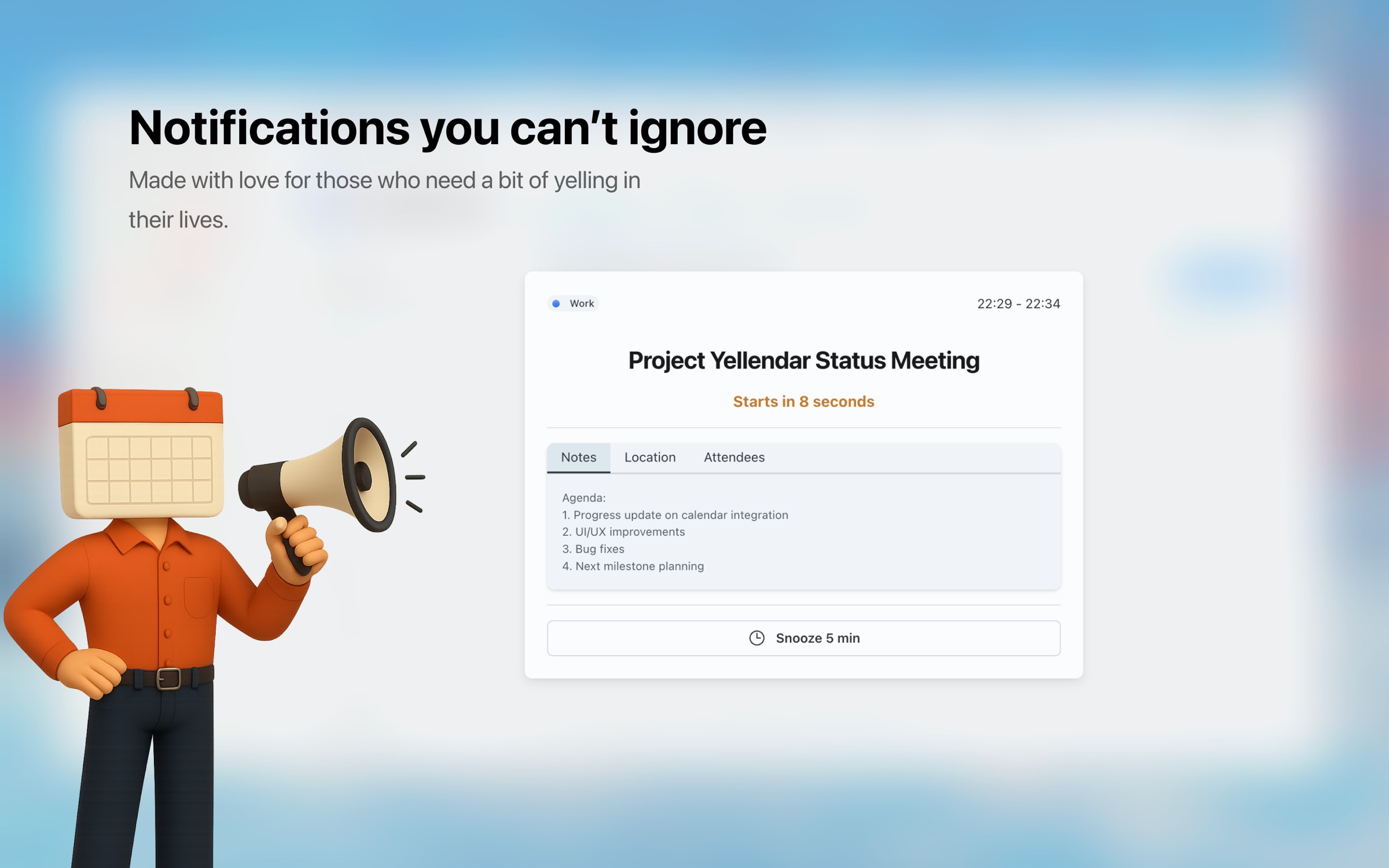
The fullscreen alert
Your whole screen, until you snooze, skip, or join. Deep work has no defense
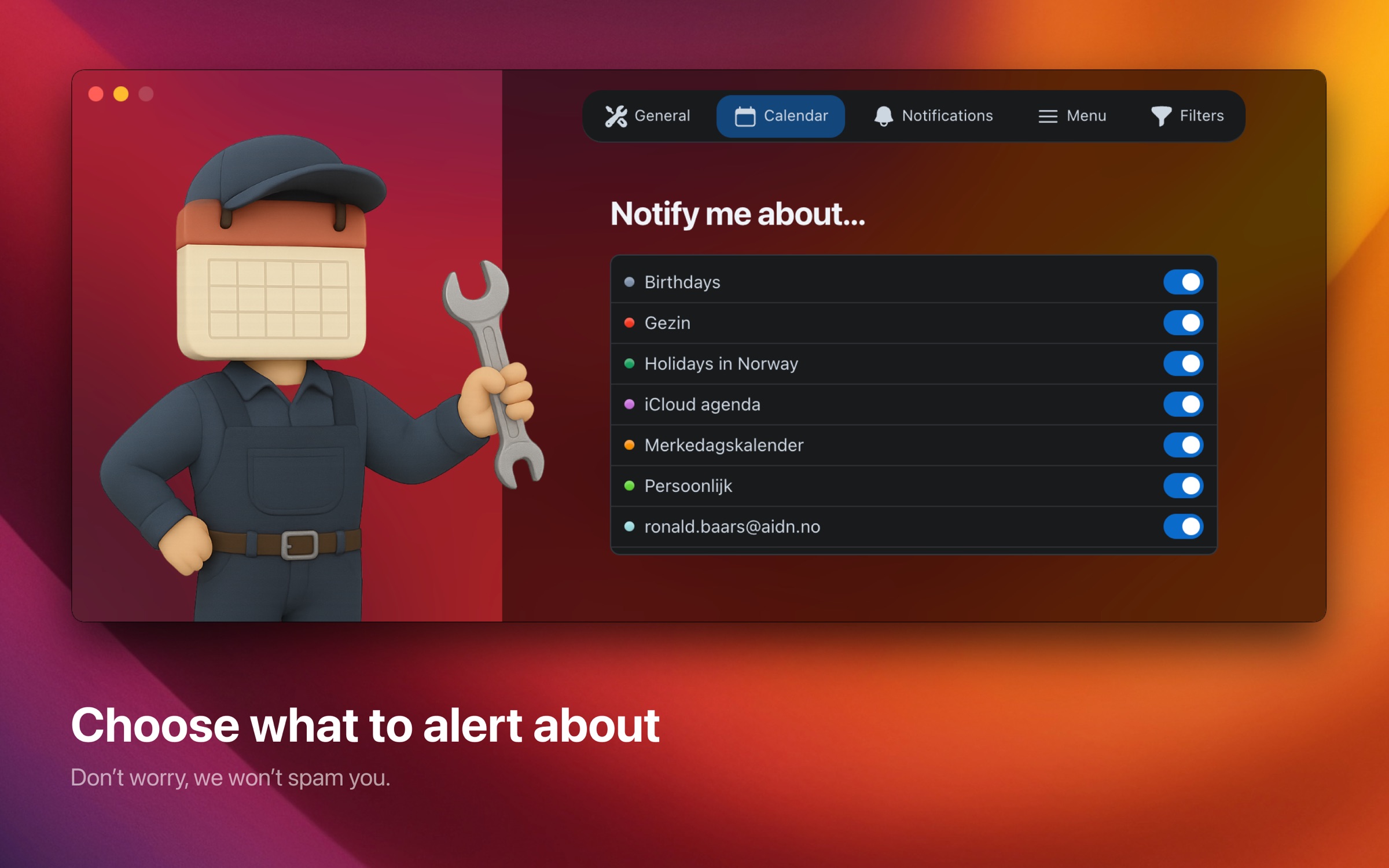
Pick which calendars yell
Choose the calendars that matter and set how early the alarm fires
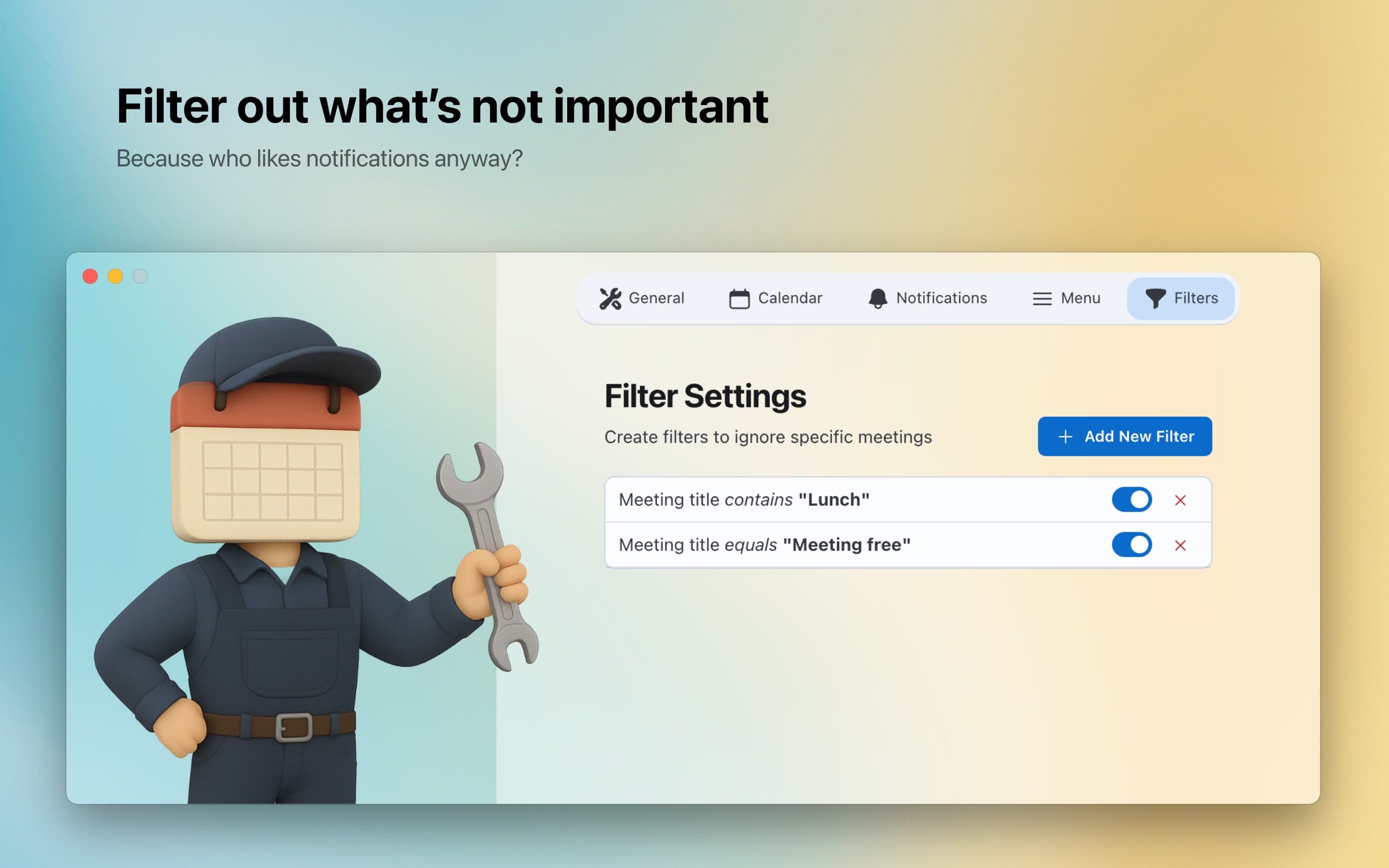
Smart filters
Filter by title, organizer, or location so only the events that matter yell
Who Gets Yelled At
Remote Workers
You were deep in work, the banner slid by, and the camera-on meeting started six minutes ago. Yellendar ends that story. It interrupts you on purpose, then gets you into the right call in one click.
One click into the right Zoom, Meet, or Teams call
Alerts that appear over fullscreen apps, not behind them
Works with company calendars via macOS Calendar, Exchange included
Busy Professionals
Nine meetings deep, notification fatigue sets in and everything looks the same. Yellendar makes sure meeting seven of nine is not the one you miss.
Menu bar countdown keeps the next meeting in view
Filters keep shared and noise calendars quiet
Snooze comes back. Skipping is a decision, not an accident
Teams & Collaborators
Standups move, reviews get pulled forward, someone books the next slot over lunch. Yellendar watches your calendar as it changes, so you show up where the meeting actually is.
Reschedules picked up the moment they sync
Alerts for meetings added at the last minute
The join link is on the alert, not buried in an invite
When Notifications Get Tuned Out
If banners have become invisible to you, or hyperfocus eats the clock, another polite reminder won't help. Yellendar can't fix your sense of time. It makes it impossible to not know what time it is.
The whole screen, with sound, until you act
Snooze that comes back instead of giving up on you
Early warnings you set yourself, per calendar
No account, no tracking, no subscription. It just yells
Students & Educators
Tuesday's lecture is at 10, Thursday's at 14, the study group keeps moving, and office hours are this week only. Yellendar keeps the schedule in your calendar and the yelling on your screen.
Handles class schedules that change every semester
Works with university calendars that sync to macOS Calendar
One click into online classes and study sessions
Filter out non-academic events during study time
Freelancers & Consultants
Ten minutes late to a $200 an hour call is a $33 apology, and the apology is the cheap part. Being on time is part of what clients pay you for. Yellendar protects that for $4.99.
One click into whichever app this client prefers
Travel-time alerts for the meetings that happen in person
Filters silence noisy shared project calendars
Color-coded calendars keep clients visually separate
Ready to never miss another meeting?
$4.99 on the Mac App Store. Once. That's the whole business model.
Requires an Apple Silicon Mac (M1 or later) running macOS 12 or newer.
Get it for Mac